
 End-to-end outreach workflow



Table of Contents
- Google is bringing AI Inbox to paid US Workspace accounts by Oct. 26.
- Gemini summaries average just 29 words, so lead with one clear story angle.
- Put your strongest finding first.
- Clearly name your brand, expertise, and relevant topics so journalists can retrieve your pitch through inbox searches.
- AI summaries can distort data and expert commentary.
- Google says AI Inbox considers prior interactions when identifying important contacts.
On May 29, 2025, Google rolled out what it called AI Inbox, which lets users search previous emails, write emails, see important topics to catch up on, and summarize emails, all with AI.
On October 15, 2026, they announced these features are now part of Google Workspace, and they’ll expand this functionality to work accounts in the next few weeks.
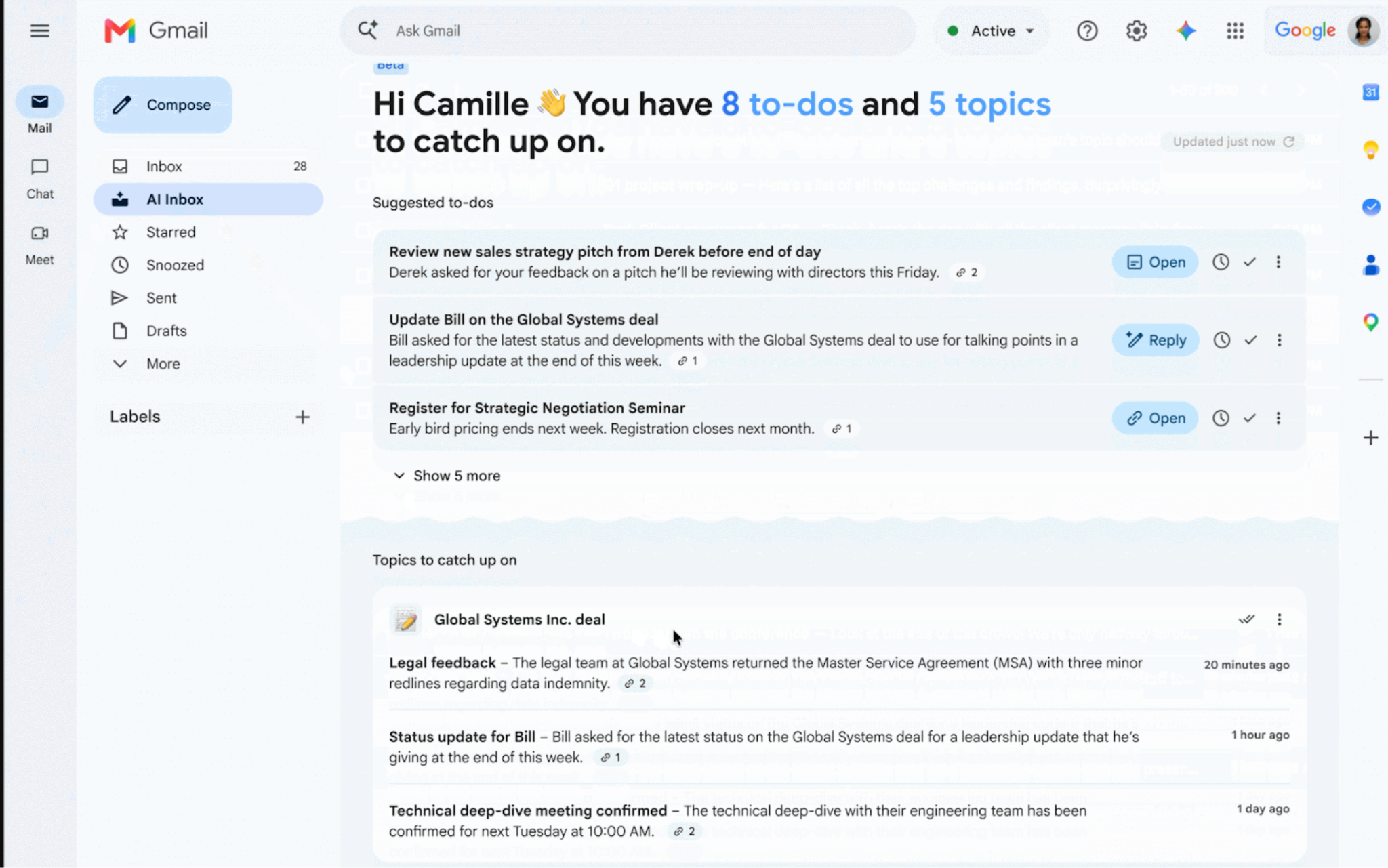
Google Workspace serves more than 3 billion users worldwide.
And while the rollout reaches only part of that audience (paying US user accounts to start), it brings this AI-powered inbox prioritization to more professional inboxes—including those PR teams pitch every day.
Here are some things PR pros need to know about how Gemini’s AI email summaries work and what you can do to ensure journalists get your message.
AI Summarizes Emails
The biggest concern is that Gemini now summarizes emails.
For instance, an email conversation like:
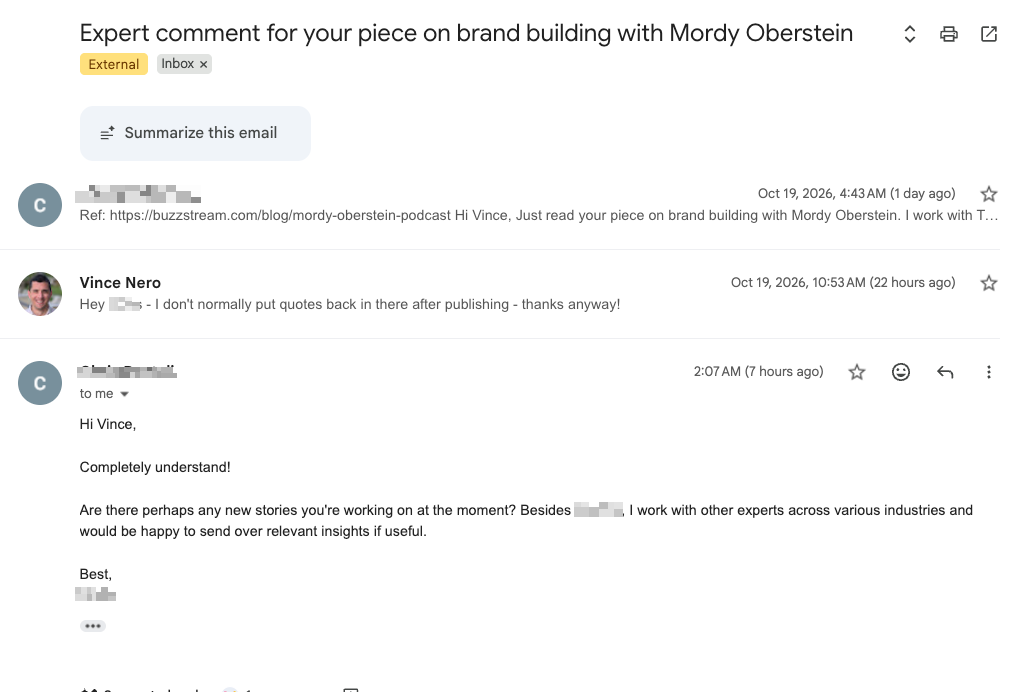
Becomes:
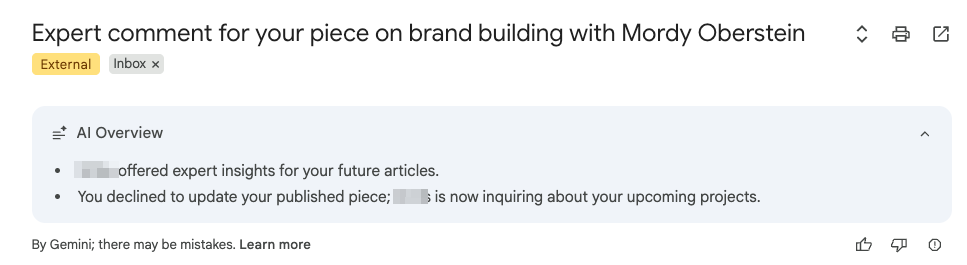
For PR, that means media pitches to journalists will get summarized and shortened—potentially missing key information.
In July, 2026, we published a partner study with digital PR agency Aira to analyze how Google’s AI-generated email summaries behave.
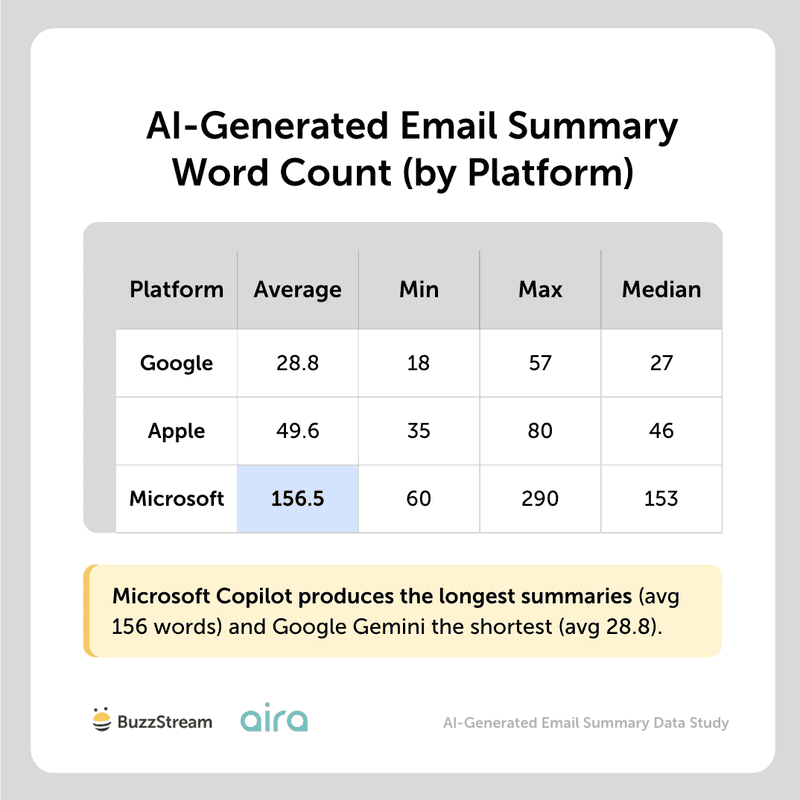
We learned that Gemini’s email summaries average just about 29 words.
They were the shortest of our entire study:
But we looked at many more angles to understand how and what these summaries consider important information.
The next section outlines them all:
What Should PR Pros Do?
Based on our study, here are the main takeaways PR pros should follow to optimize their pitches for AI summarization.
1. Make your main story easy to explain in one sentence.
Again, in our study, Gemini summaries averaged just 28.8 words.
That leaves little room for competing angles.
(For reference, everything in this section, including this sentence, is 30 words.)
2. Put the strongest finding in your opening two paragraphs.
87.1% of Gemini keyword matches came from the first half of the email.
When we divided emails into three sections, 81% came from the opening two paragraphs.
3. Lead your bulleted list with your most compelling point.
Information from bulleted lists appeared in 65% of Gemini summaries. The first bullet appeared 69% of the time, compared with just 15% for the second.
So, put the finding you most want a journalist to notice first.
Bullets also make pitches easier for people to scan.
4. Use bold text to highlight key information.
Text that was bolded appeared in 48% of Gemini summaries.
However, that doesn’t prove bolding caused its inclusion: those passages often appeared early or in bullets.
Use bolding to help human readers scan, and give those points a clear place near the top.
5. Write a subject line that clearly identifies what you’re offering.
Subject-line wording overlapped with 38.6% of Google’s summaries.
When “data” appeared in the subject line, it appeared in the summary 66% of the time; “expert quote” appeared 56% of the time.
(We couldn’t fully separate subject-line influence from similar wording in the email itself.)
Here are a few things that didn’t really make an impact:
Personalized introductions appeared in just 11% of Gemini summaries, so those probably don’t matter as much.
Graphics and attachments weren’t represented in Gemini’s summaries in our tests. This makes sense because Google actually says in its help docs that AI Inbox doesn’t support attachments.
Links within emails got mentioned in just 1% of summaries. Those are still incredibly important, but just not for AI Inbox summaries.
Inboxes Are Searchable
Journalists like to refer back to prior pitches.
Some journalists, like Joni Sweet, have told me they search their own inbox for relevant sources or brands.
In our podcast episode, she told me:
“I use my inbox like a personal database of sources and story ideas…
There have been times when I’ve searched my own inbox for a relevant source or a brand that I need to get in touch with, and I’ll pull emails from 2016 and start emailing those folks who emailed me and say, ‘Are you still working with this brand, or can you connect me with someone who is?’”
With AI Inbox, the information we put in our emails is infinitely more searchable.
What Should PR Pros Do?
Make sure you clearly identify yourself and what you do/are known for.
A line like, “I’m Vince Nero, Director of Content Marketing for email outreach platform BuzzStream,” can help journalists find me later.
When I interviewed Mark Rofe, he recommended I make my emails searchable for later.
“I’ll also kind of ‘keyword stuff’ it a bit.
…If I was doing it for like my, Christmas tree website, maybe I would call myself a ‘Christmas tree expert’
…At some point, the journalist may have another story in like 3-5 months time and they’re trying to find an expert about that.
And they remember getting your(email) all that time ago… and they may search their inbox and find you.”
Before you come at him with pitchforks, Mark doesn’t mean “keyword stuff” in the spammy SEO sense of the word either.
He means using key terms that a journalist can easily recall in an email search.
AI Can Rewrite Pitches
One of our big findings was that Google summaries misrepresented data in 32% of cases and expert quotes 18% of the time.
This can have big implications for how your pitch gets read and used within a story.
To be clear: Gemini never fabricated information. Instead, it misrepresented the core ideas.
In the study, we used an example where one of the original emails said to keep your car “as charged as possible, around 40-80% is ideal.”
But the AI-generated summary says “charging to 40-80%,” which, while it may seem like a small difference, isn’t the same.
Extrapolate that out to thousands upon millions of pitches, and there’s going to be some stuff that falls through the cracks.
What Should PR Pros Do About It?
Unfortunately, you can only be reactive to this kind of thing.
If you aren’t already, make sure you are reading (and rereading) articles after they get published to ensure that the information is represented correctly.
AI Cares About Previous Relationships
Based on Google’s explanation of how AI Inbox works, it identifies VIPs based on “people you email frequently” or “those in your contacts list and relationships it can infer from message content.”
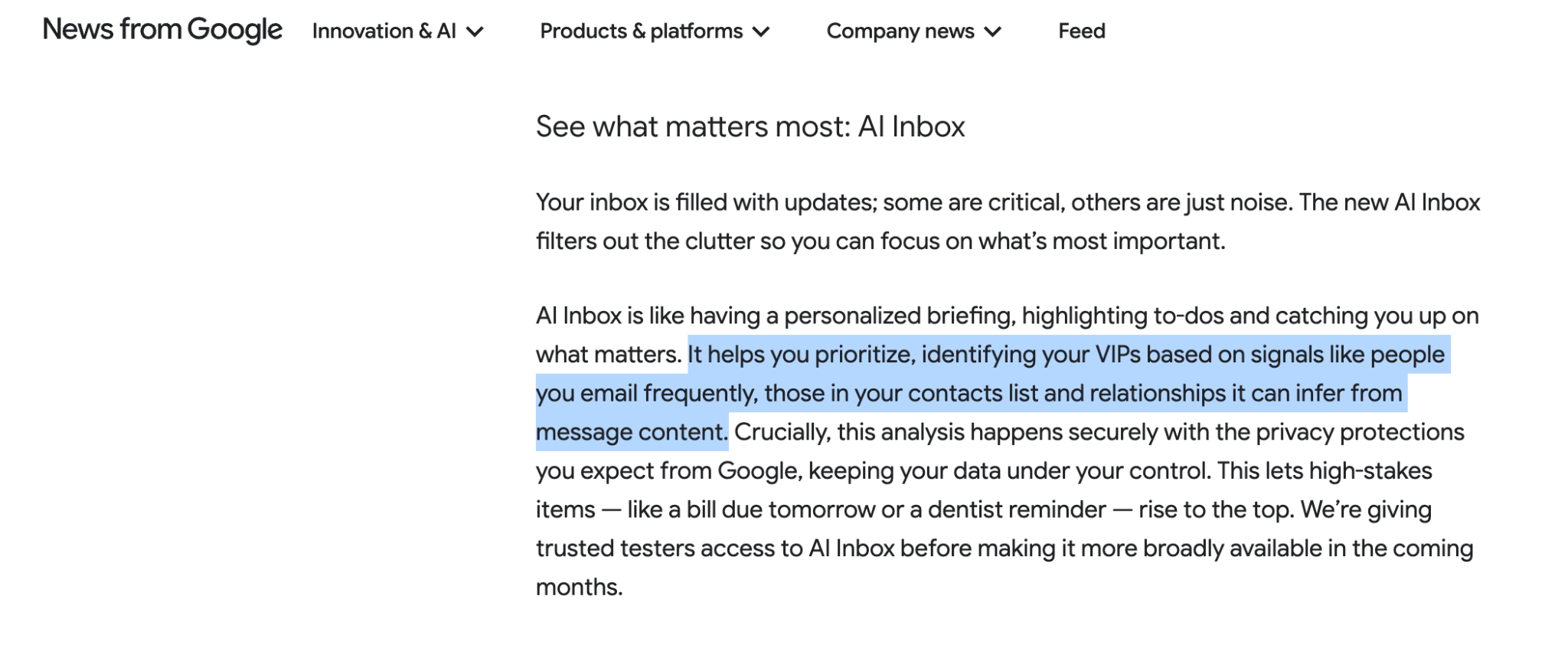
This suggests it will look at previous contact history, as well as message content.
What Should PR Pros Do About It?
Our data already backs up the impact of previously emailed contacts.
In a study we did in April 2026, we analyzed 1,321,232 anonymized emails sent by PR teams across 17 agencies, focusing primarily on digital PR across a two-year time period.
We found that journalists who had already replied to an email in the past had 1.5x more opens and 19x more responses to future email pitches.
Use a tool like BuzzStream to manage and maintain relationships.
You can easily see who you or your colleagues have contacted in the past.
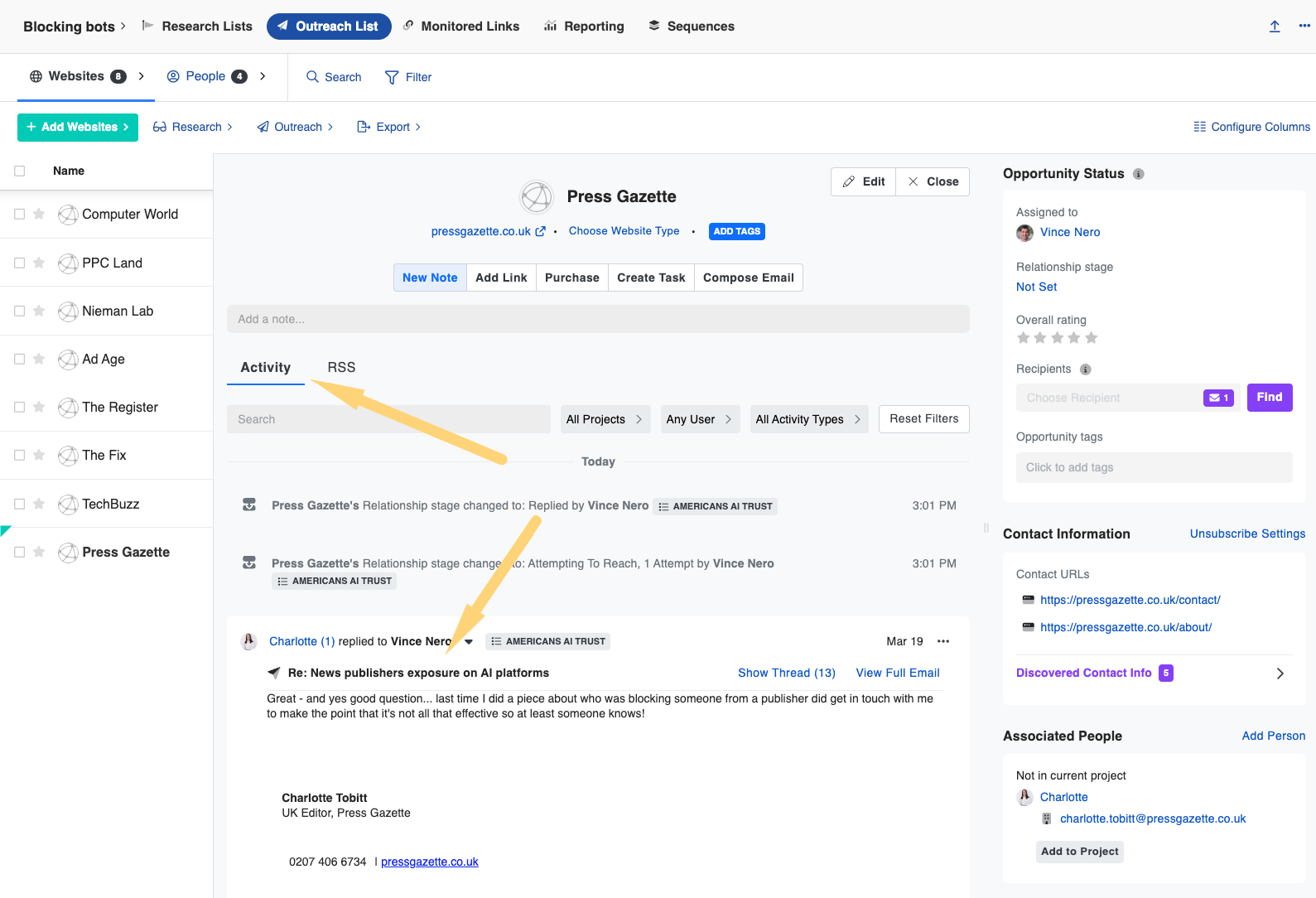
For me, this is where agency outreach scales.
If your colleague already has a relationship with a journalist, maybe they pitch, or at least ask for an introduction.
Zero Click Inbox
This may ultimately lead to a zero-click era for email inboxes.
What happens when someone learns the gist of an email without opening the original message?
Can journalists assess a pitch through a summary?
These aren’t questions we have any answers to yet, but we’ll be on the lookout.
For the time being, skip the fluff and get to the point.
Our media pitch examples help provide some helpful starting points.


 Check out the BuzzStream Podcast